
New reporting module released

Cognishine’s new reporting module is now available on the Premium plan, offering a clearer way to review participation and activity across clients and teams. This upgrade helps clinicians use Cognishine as a clinician support platform for tracking therapy participation and reviewing service-level usage over time, without having to export data manually.
The reporting interface includes:
- Client-level reports - show individual activity, session history, and activity breakdowns
- Organization-level reports - show usage across your service and let you filter results by key groups (such as Business Units, Departments, population, language version, and country). Note: Organization-level reporting is available only to Admins on your account.
Filters available in reporting
Client-level and organization-level reporting allow you to filter by:
- Session type - Sync sessions (carried out during a therapy session) and Self Practice sessions
- Time period - using preset ranges or selected time windows
- Profession - such as Speech and Language Pathologist or Occupational Therapist
- Therapist - to view activity linked to specific clinicians
Organization-level reporting also allows you to filter by:
- Business Units
- Departments
- Language version of Cognishine used
- Population (age group)
- Country
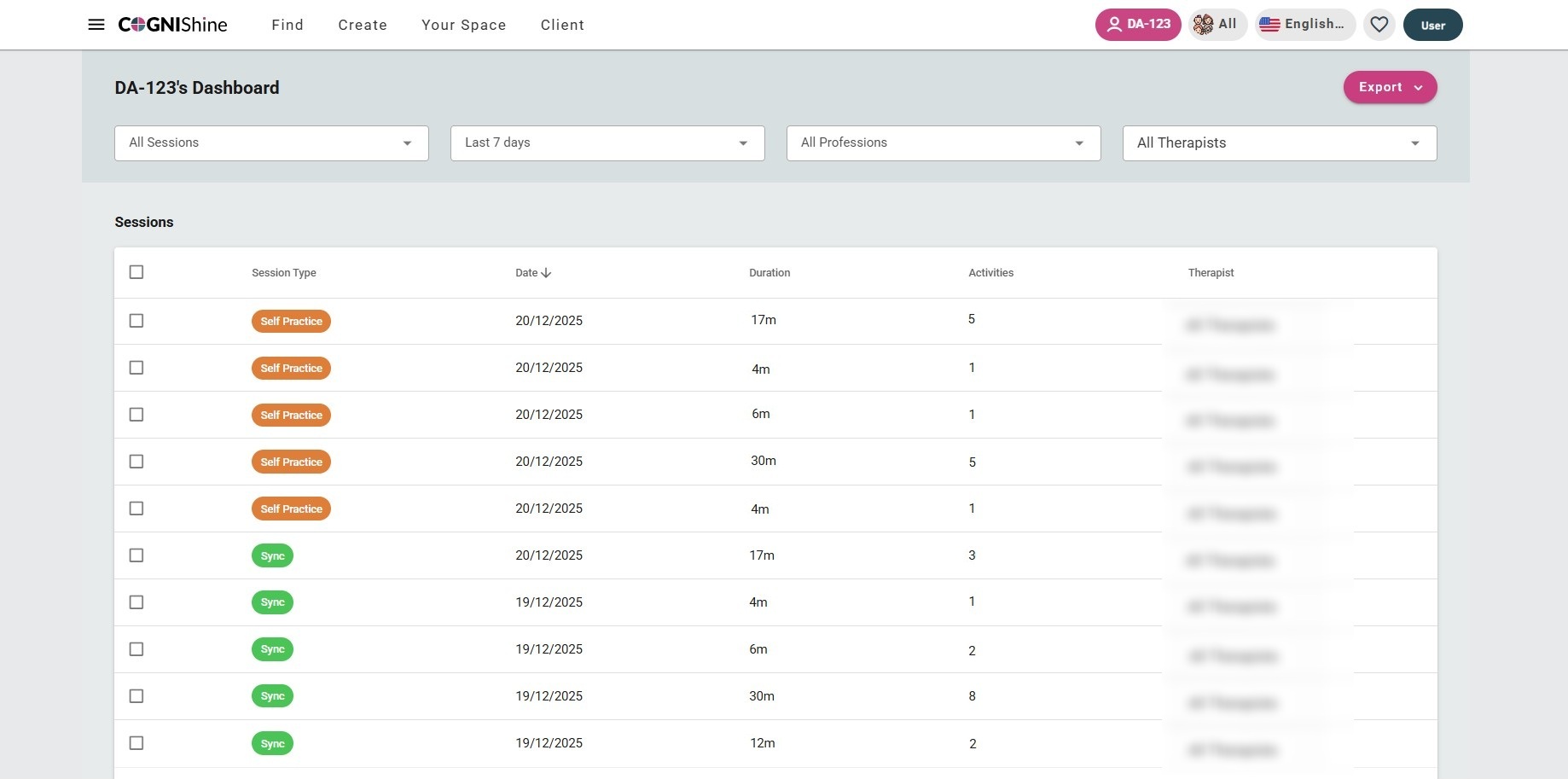
To access Client-level reports:
- Select the client using the pink client button at the top of the screen.
- Select "Client" from the top menu.
- Select "Full report".
To access Organization-level reports:
- Select your username (top right of the screen).
- Select "Organization".
- Select "Reports" from the left-hand menu.
