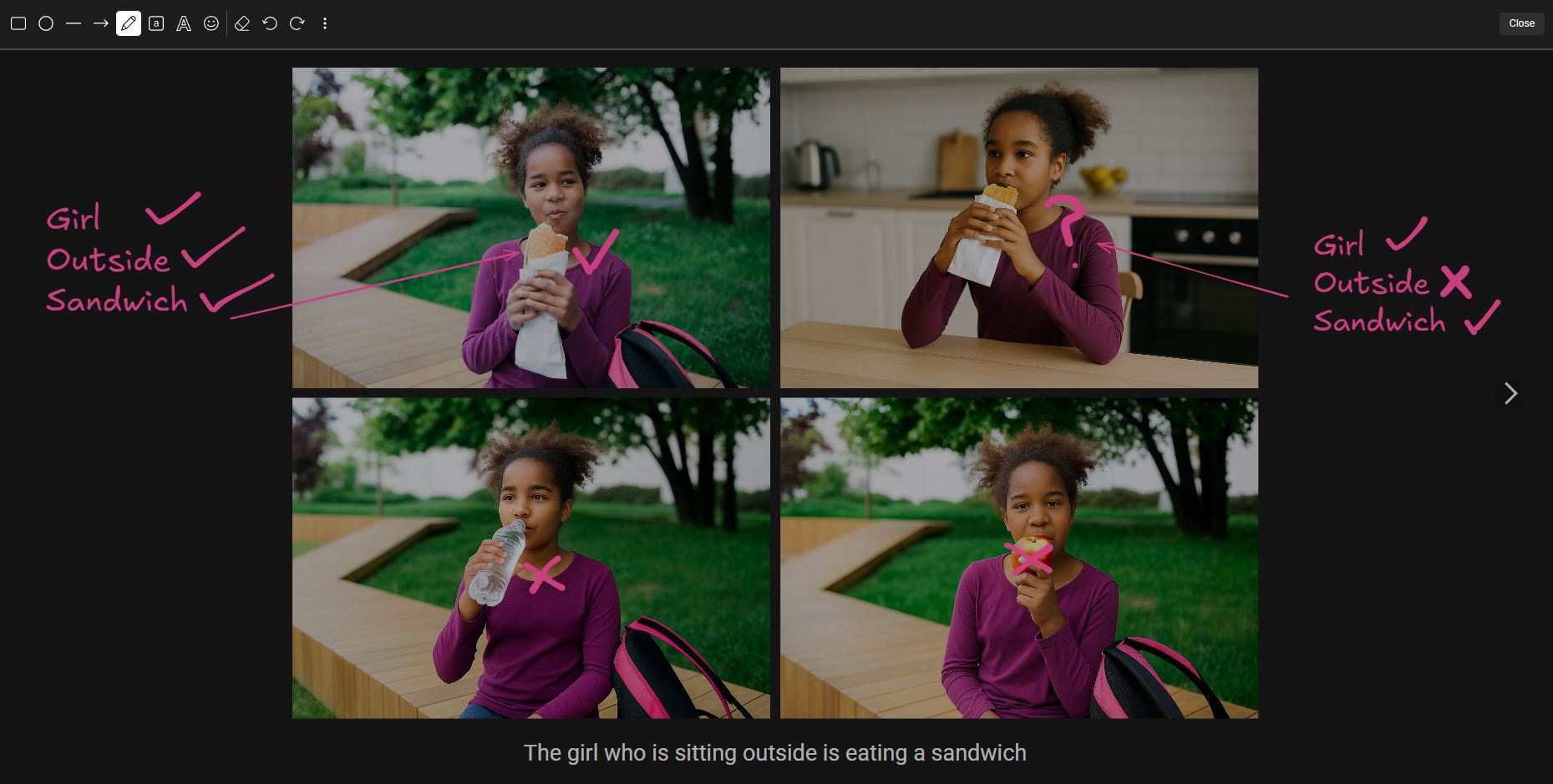
Whiteboard now available in most activities

The Whiteboard is now available in many activities on the Cognishine platform, making it easier to add real-time visual support while using our therapy software. When it’s available, you’ll see the Whiteboard button at the top left of the activity screen. Use it to annotate an activity with quick visual cues, including freehand drawing, arrows and lines, shapes, text, and emojis.
This feature turns any activity into a shared on-screen workspace, so both you and your client can make notes, highlight targets, add visuals, and write short prompts in real time without pausing the activity or switching to paper. More Whiteboard improvements are coming soon.